Why WhatsApp Business Isn’t Enough to Run Your Front Desk

Listen to this article
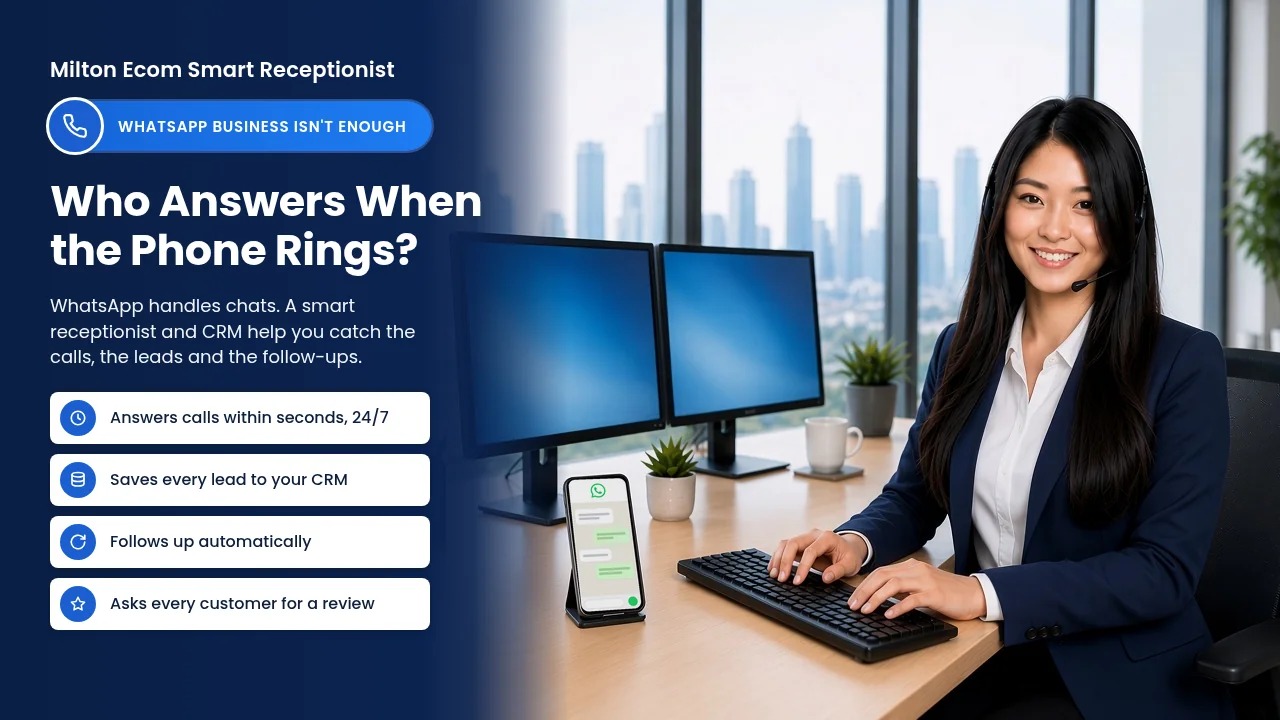
Smiling receptionist wearing a headset at her desk, with a phone showing a WhatsApp chat beside her.

Last updated: October 2026 | By the Milton Ecom team

It’s 9 pm in Milton and the pipe under the kitchen sink has just let go. The homeowner, towel in one hand and phone in the other, searches for an emergency plumber and calls the first two names. One phone rings out. At the other, the plumber is busy on a job, so within a few seconds a voice answers as the AI Assistant for the plumbing company. It takes their details and alerts the plumber. You can guess who gets the job.

Short answer: WhatsApp Business is a useful free chat app, but it isn’t built to be your front desk. The app doesn’t answer regular phone calls to your business number, it has no sales pipeline or per-lead follow-up, its AI agent works in chat and is still rolling out, and your conversations live in chat threads rather than one shared customer record.

Want to see what this looks like for your business? Book a free consultation.

What is WhatsApp Business good at?

WhatsApp Business is a free app that gives your business its own WhatsApp profile. It’s handy for chatting with customers who already use WhatsApp. You can save quick replies, set greeting and away messages, sort chats with labels and show your services in a catalogue. For a small crew, that’s a decent free start.

WhatsApp’s own pages confirm the app offers:

  • A business profile with details like your hours, address and website.
  • A greeting message for new customers when they start a conversation.
  • Away messages that send always, on a custom schedule or outside your business hours.
  • Up to 50 saved quick replies for answers you type over and over.
  • Up to 20 labels to sort chats (WhatsApp is now turning labels into lists).
  • A catalogue to show services.
  • Scheduled broadcasts with buttons like Book, Order and Call (for eligible users in select countries), plus paid marketing messages to everyone in a label or list.

The trouble starts when you expect a chat app to run your front desk.

Where does WhatsApp Business fall short for home service businesses?

WhatsApp Business is a chat app first. It doesn’t pick up regular phone calls, it has no pipeline to track quiet leads, its conversations sit in chat threads, and review requests aren’t on its feature list. For a home service business, each of those gaps can cost you jobs in a different way.

Emergency jobs still arrive as phone calls

When water is on the floor or the furnace quits in January, homeowners pick up the phone. WhatsApp calls run over the internet between WhatsApp accounts. A regular call to your business number goes through your phone carrier, and nothing in the WhatsApp Business app answers it for you. Away messages reply to chats, and WhatsApp notes your device needs an active internet connection to send them.

So if you’re under a sink or up a ladder, that call goes to voicemail and the homeowner dials the next plumber. A call that rings out can be a job you paid to advertise for, booked by someone else. Stopping missed calls is step three in our guide to the lead problems home service businesses face.

Its AI agent works in chat, not on your phone line

Meta has introduced Meta Business Agent, an AI that can answer questions, book appointments and qualify leads inside WhatsApp chats. Meta says it’s expanding the agent to businesses big and small globally, but WhatsApp’s Help Center still says the app version is only available in limited countries to select businesses, with a waitlist. Everything Meta describes it doing happens in chat, not on your phone line.

Follow-ups still lean on your memory

Quick replies save typing, but you still have to open the chat and send them. The app can send scheduled broadcasts to a list, but its feature list doesn’t include a sales pipeline or an automatic check-in when one customer’s quote goes unanswered. If a lead goes quiet while you’re on a job, it often stays quiet.

Your customer history lives in chat threads

You can link up to four other devices to WhatsApp, but they hang off your primary phone, and WhatsApp says you need to use that phone at least every 14 days to keep them linked. Meta Verified raises the limit to 10 devices and lets you assign chats to agents. Either way, your lead history sits in chat threads on one number, not in a customer record with a pipeline, notes and job history.

No built-in review requests

Reviews are how the next homeowner picks between you and the company down the street. Review requests aren’t part of the WhatsApp Business app’s feature list.

The rules tighten when you try to automate

To automate WhatsApp at scale, businesses move to the WhatsApp Business Platform (the API). Meta’s developer docs say you can only message people who have opted in. Once 24 hours pass after a customer’s last message, you can only send pre-approved template messages. Meta charges per delivered message, at rates that vary by category and country. Since October 1, 2026, that includes service replies beyond a free 1,000 per business phone number each month, and Meta Business Agent messages are charged too. Meta’s docs also say business-initiated WhatsApp calls aren’t available for Canadian business numbers.

What does a smart receptionist do that WhatsApp can’t?

When you can’t pick up, our AI voice receptionist answers within a few seconds, 24/7. It introduces itself as “AI Assistant for [Business Name]”, answers from your business’s own information, takes down the caller’s name, number and what they need, and notifies you. An AI chat assistant does the same job on your website.

Back to that burst pipe: the homeowner doesn’t download anything. They call the number on your truck, and if you can’t pick up, they get an answer within a few seconds. You finish the job, then call back a customer who’s expecting you.

Want to hear it for yourself? Call our demo line at (365) 832-8200. You can read more about how our voice AI receptionist works. Pricing is simple: the AI Voice Receptionist is $297/month or $2,970/year, and the AI Receptionist for website chat is $150/month (CAD).

Not sure which one fits your business? Book a free consultation and we’ll walk through it with you.

Why does a smart receptionist need a CRM behind it?

A receptionist catches the lead; a CRM makes sure it turns into a booked job. Our CRM keeps leads, customers and conversations in one place, tracks calls and emails, books and confirms appointments, and automates follow-ups. Your pipeline stops depending on one phone or one person’s memory.

  • One record per customer: leads, customers and conversations in one place, not scattered across apps.
  • Calls and emails tracked: you see the whole history before you call someone back.
  • Appointments booked and confirmed: see how AI appointment booking works.
  • Automatic follow-ups: automated follow-up checks in on quotes so leads don’t go cold.
  • Reviews: it automates asking every customer for a review, by email first.

If you’re new to this, here’s a plain-English guide to what a CRM is and why it’s the best employee you’ll ever hire.

WhatsApp Business vs a smart receptionist and CRM: how do they compare?

WhatsApp Business covers chat with people who use WhatsApp. A smart receptionist and CRM cover your phone line, your website and the follow-up that turns a lead into a job. Here’s the side-by-side, based on WhatsApp’s help pages and Meta’s docs:

WhatsApp Business appSmart receptionist + CRM
Regular calls to your business numberNot answered by the appWhen you can’t pick up, the AI voice receptionist answers within a few seconds, 24/7
AI assistantMeta Business Agent: chat-based, still rolling outAI voice receptionist for calls, AI chat assistant for your website
Who can reach youPeople who use WhatsAppCallers, website visitors and emails, tracked in one place
Follow-upsQuick replies and scheduled broadcasts; no per-lead follow-upAutomated follow-ups
Customer recordsChat threads and up to 20 labels or lists, linked to your primary phoneLeads, customers and conversations in one place
Review requestsNot on the app’s feature listAutomates asking every customer for a review, by email first
WhatsApp facts from WhatsApp Help Center and Meta developer documentation, October 2026.

Should you stop using WhatsApp Business?

No. If customers already message you on WhatsApp, keep answering them there. Just don’t make it your front desk. Let a smart receptionist cover calls when you can’t pick up and handle website chats, and let a CRM hold your leads and run the follow-up, so WhatsApp becomes one channel among several instead of the whole system.

The homeowner with water on the kitchen floor doesn’t care which app you use. They care who answers, how fast, and whether you call back. That’s the job a smart receptionist and a CRM do together, whether you’re in Milton, Hamilton, Halton or anywhere in the GTA.

Ready to stop losing jobs to voicemail? Book a free consultation.

Glossary

  • WhatsApp Business app: Meta’s free app that gives a business its own WhatsApp profile, quick replies, labels, a catalogue and automated greeting and away messages.
  • WhatsApp Business Platform (API): Meta’s tool for businesses that send and automate WhatsApp messages through software instead of the phone app.
  • Customer service window: The 24-hour period after a customer’s last WhatsApp message when a business on the API can reply with regular, non-template messages.
  • Template message: A pre-approved WhatsApp message a business on the API must use once the 24-hour window closes; Meta charges for each one delivered.
  • Meta Business Agent: Meta’s AI that answers questions, books appointments and qualifies leads in WhatsApp chats, still rolling out to businesses by country.
  • Smart receptionist: An AI receptionist that answers your calls when you can’t, or your website chats, introduces itself as the AI Assistant for your business, and passes details to you.
  • CRM (Customer Relationship Management): Software that keeps leads, customers and conversations in one place and automates follow-ups and appointment booking.
  • Automated follow-up: Messages your CRM sends on a schedule so leads and quotes get a check-in even when you’re busy on a job.

Frequently Asked Questions

Can WhatsApp Business answer phone calls with AI?

Not regular phone calls. The WhatsApp Business app has no feature that answers calls to your business number, and WhatsApp calls run over the internet between WhatsApp accounts. Meta Business Agent works in chats and is still rolling out to select businesses. An AI voice receptionist picks up your actual phone line when you can’t.

Is WhatsApp Business free?

The WhatsApp Business app is free to download, with a mix of free and paid features, according to its App Store listing. The WhatsApp Business Platform (API) charges per delivered message, at rates that vary by category and country. Since October 1, 2026, that includes service replies beyond a free 1,000 per business number each month.

Does the AI voice receptionist pretend to be a person?

No. Our AI voice receptionist introduces itself as “AI Assistant for [Business Name]” at the start of the call, using your business name. It then answers from your business’s own information, takes down the caller’s name, number and what they need, and notifies you so you can call them back.

How many devices can use one WhatsApp Business account?

WhatsApp lets you link up to four devices to your primary phone, or up to 10 with Meta Verified. You need to use WhatsApp on your primary phone at least every 14 days to keep linked devices connected. A CRM keeps leads, customers and conversations in one place instead of on one phone.

Can I keep using WhatsApp Business alongside a CRM?

Yes. WhatsApp Business can stay as one channel for customers who like to message you there. A smart receptionist covers your phone line when you can’t pick up and handles website chat, and a CRM keeps your leads, customers and conversations in one place. You don’t have to give up WhatsApp to use them. Want your WhatsApp chats in the CRM too? Ask us about connecting it when you book your free consultation.

How can I hear the AI voice receptionist?

Call our demo line at (365) 832-8200 and talk to the AI voice receptionist yourself. You’ll hear how it introduces itself as an AI Assistant, answers questions and takes down a caller’s details. If you’d like it set up for your business, book a free consultation with us.
Why Home Service Companies Need a Customer Recovery System Before They Ask for Reviews

Listen to this article

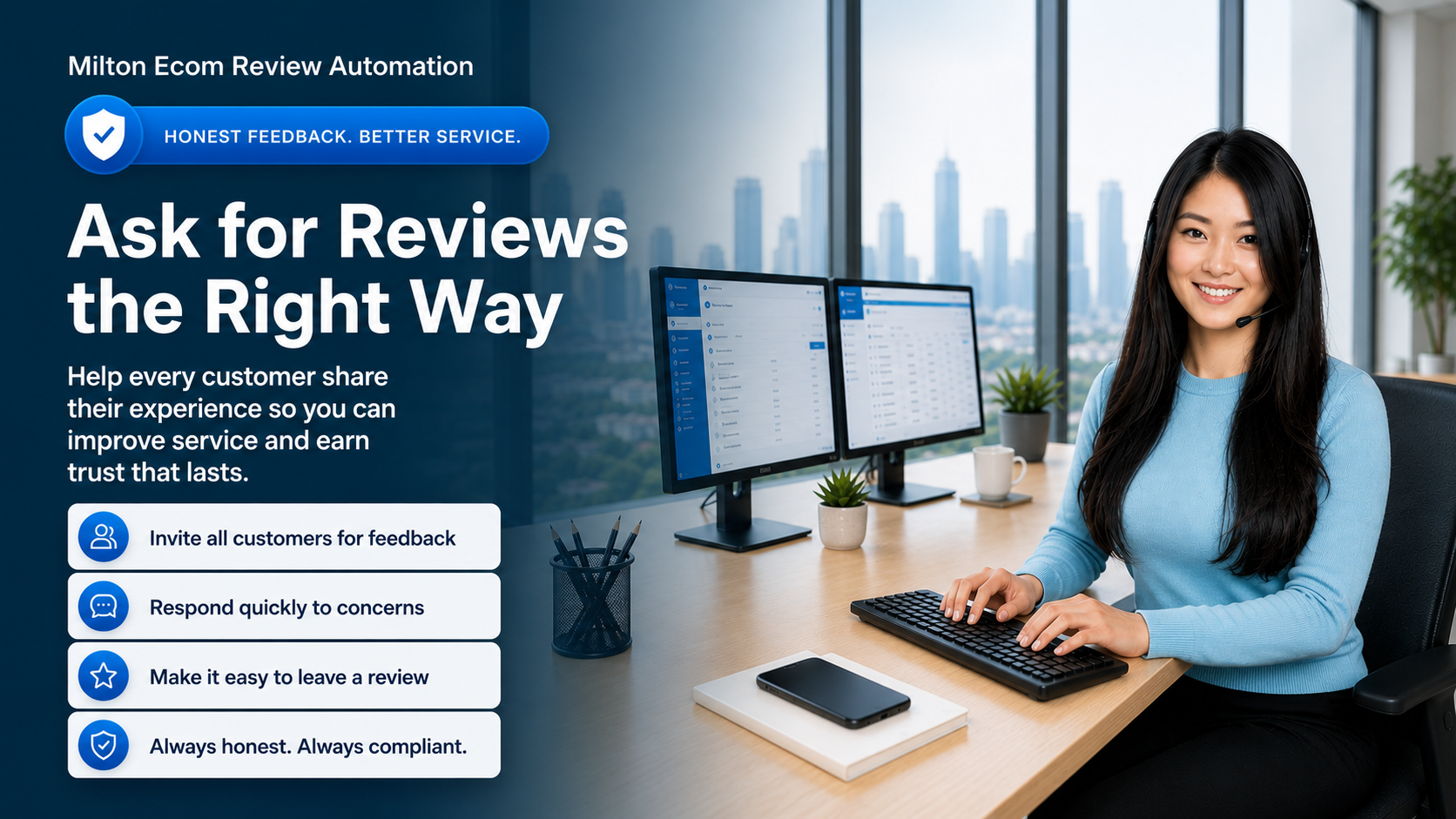
Customer follow-up and honest review automation hero image with Milton Ecom branding in a professional office setting
Customer follow-up, honest feedback, and compliant review requests help home service businesses protect trust after every completed job.

A bad review usually does not start on Google.

It starts earlier.

A late arrival. A rushed cleanup. A confusing invoice. A customer who felt ignored after the job was done.

Most home service companies only find out after the customer posts publicly. That is the problem.

The smarter move is to build a customer recovery system that checks in after every completed job, catches frustration early, alerts the office, and makes it easy for customers to share honest feedback.

For home services businesses, reviews do more than make the owner feel good. They create trust before a prospect ever picks up the phone. They reduce hesitation. They help the next customer feel safer inviting your company into their home.

But reputation is not just about asking for more reviews. It is about building a follow-up process that helps every customer feel heard after the work is done.

Why Customer Recovery Comes Before Review Growth

The Real Offer: A Reputation and Follow-Up System for Home Services

This is best understood as a reputation-protection and follow-up system for home services businesses, not as a simple review tool.

For a home services owner, the value is not just getting more review links out the door. The value is protecting trust after every completed job, spotting unhappy customers early, and giving the office a cleaner process for following up without adding more manual work.

The business gets:

  • automated review-request follow-up
  • customer satisfaction checks after completed jobs
  • a customer satisfaction survey for every customer, with $10 off the next service for filling it out (each business sets its own amount)
  • SMS and email templates
  • alerts for the owner or office team when a customer is unhappy
  • follow-up and service-recovery workflow
  • reporting on responses, review clicks, and resolved issues

That matters because the value is broader than "sending review links." The real benefit is peace of mind, stronger trust in the local market, and a better chance to turn good service into visible proof.

Home service owners do not usually wake up thinking, "I need review automation."

They think:

"Why did that customer leave a bad review without calling us first?"

That is why the best review systems start with customer recovery.

After a completed job, a business should be able to:

  • ask every customer how the job went
  • give every customer a path to share feedback
  • make the public review process easy and professional
  • alert the owner or office when someone is unhappy
  • follow up quickly to recover the relationship
  • track responses, review clicks, and recovery outcomes

The goal is not just more stars. The goal is fewer surprises, better service recovery, stronger trust, and a more consistent customer experience.

What Happens Without a Review Follow-Up System

Without a clear process, review requests become random.

One technician asks. Another forgets. The office sends links when they remember. Unhappy customers get missed. Happy customers move on with their day.

The owner only notices when the public review profile starts slipping.

That is not a reputation strategy. That is reputation luck.

For a plumber, this could mean missing a customer who was unhappy about cleanup.

For an HVAC company, it could mean never finding out that the customer did not understand the thermostat setup.

For a cleaner, it could mean missing one room and hearing about it later in a neighborhood Facebook group.

For a landscaper, it could mean losing a seasonal customer because a scheduling issue was never followed up on.

The problem is not always the original mistake. The problem is that no system caught it soon enough.

What This Looks Like for a Home Services Business

This kind of workflow can be automated with simple response options, follow-up messages, and owner or office notifications.

Here is the basic workflow:

Step 1: Trigger the follow-up

The workflow starts after a completed job, paid invoice, completed appointment, or a simple manual step that marks the customer ready for follow-up.

Step 2: Ask how the experience went

Send an SMS or email asking:

"How was your experience with us today?"

Then give the customer a simple response path, such as a 1-to-5 rating or quick feedback buttons.

In a CRM or automation platform, this can be handled with trigger links, separate action buttons, or a short feedback form.

Customers who complete the survey get $10 off their next service as a thank-you (each business sets its own amount).

Step 3: Give every customer a clear path

Every customer should be able to share honest feedback. Every customer should also have access to the public review process.

The internal workflow can still help the business respond intelligently:

  • record the customer's response
  • send the appropriate follow-up message
  • make the public review link easy to access
  • alert the owner or office when the customer reports a problem
  • create a service recovery task when follow-up is needed

This is the key difference between a generic review request and a real reputation system. One sends a link. The other creates protection, responsiveness, and a better customer experience.

Step 4: Follow up quickly when something went wrong

When a customer reports a poor or mixed experience, the system should alert the right person quickly.

That may mean:

  • notifying the owner
  • creating a task for the office manager
  • sending a reply that acknowledges the concern
  • asking for details so the team can understand what happened
  • tracking whether the issue was resolved

Fast follow-up does not guarantee the customer will change how they feel, but it gives the business a chance to respond before the relationship is lost.

Why This Is Valuable for Home Services Businesses

For plumbers, HVAC companies, electricians, cleaners, landscapers, contractors, and other home services businesses, reviews directly affect trust and lead flow.

Customers often compare businesses quickly. A stronger review profile can mean more calls, more form submissions, and better close rates.

But reputation is not just about collecting stars. It is also about catching service issues before they turn into public frustration, bad word of mouth, or a lost future customer.

That is why this kind of workflow is useful:

  • customers get a consistent path to share feedback and access review options
  • unhappy customers get personal attention instead of being ignored
  • review requests become consistent instead of random
  • the office team gets a clear follow-up process
  • the business owner does not have to carry the stress of managing every request manually

Why Survey Feedback Makes Your Business Better and Harder to Beat

Every customer gets a short customer satisfaction survey. To thank them for taking a minute to fill it out, they get $10 off their next service (each business sets its own amount). They get the discount for completing the survey, whatever their answers are, and it’s never tied to leaving a public review.

That one survey gives you something many businesses never get: a clear picture of how your service actually feels from the customer’s side of the door.

  • You hear about problems while you can still fix them. A frustrated customer can tell you directly, and you get the chance to make it right.
  • You spot patterns instead of one-off complaints. If three customers in a month mention cleanup, you don’t have three bad days. You have a training fix.
  • You learn what customers love. You see which technicians, services and job types get the best feedback, so you can do more of what’s working and say so in your marketing.
  • You give customers a reason to call you again. The $10 discount gives them a reason to book with you again instead of whoever shows up first in their next search.
  • You compete on service, not just price. Plenty of companies guess what their customers think. You’ll know, job after job, and every fix makes you a little harder to beat.

Every survey is market research from the people who matter most: the ones who already paid you.

What to Track

If a business is going to keep investing in this kind of workflow, the owner should be able to see clear metrics.

Track:

  • how many follow-up requests were sent
  • how many customers responded
  • how many clicked the review link
  • how many customers reported a poor or mixed experience
  • how many recovery tasks were created
  • how many negative situations were resolved
  • which technicians, services, or job types need extra attention

That makes the system easier to justify month after month, not just as a one-time setup. It also helps the owner see whether the workflow is actively protecting revenue and reputation.

A Practical Note About Review Policies

Review platforms want honest feedback from real customers. This type of workflow should not be used to block, hide, discourage, delay, or filter negative reviews.

The safer and better long-term approach is to ask every customer for feedback, respond quickly when something went wrong, and keep public review access available on a consistent basis rather than routing only positive responses toward public platforms.

The goal is not to manipulate reviews. The goal is to improve service recovery, create a better follow-up process, and make it easier for customers to share honest experiences.

Why This Belongs in your Business

If you are reading this, you are probably not just looking for review advice. You are likely looking for a practical way to protect your reputation, improve follow-up, and make it easier for customers to speak up.

You may already be thinking about:

  • getting more Google reviews
  • protecting the brand
  • reducing manual follow-up
  • improving local SEO and trust
  • giving your office team a better follow-up process

That is why it makes sense to move from the idea to the actual solution. If you want this kind of workflow set up properly for your business, the next step is to look at the service options and see what fits your operation.

Related service:

  • Services: See how Milton Ecom helps local businesses improve follow-up, customer care, automation, and lead response.
  • Reputation Management: Explore how we help businesses strengthen trust, respond to reviews, and protect their online reputation.

CTA

Want this built into your CRM?

Milton Ecom helps home service businesses set up review follow-up, customer recovery alerts, SMS/email workflows, and reporting so completed jobs turn into stronger trust instead of missed opportunities.

Call Us | Text Us | Tel: 1 (866) 259 3033

See our services: Services

Explore our reputation management service: Reputation Management

Book a Consultation

Glossary

  • CRM: A customer relationship management system that helps a business track leads, conversations, follow-up, and customer history in one place.
  • Review automation: A workflow that automatically sends review or feedback requests after a job, appointment, or purchase.
  • Service recovery: The follow-up process a business uses to address a poor customer experience before the relationship is lost.
  • Reputation management: The systems and follow-up processes used to improve reviews, protect trust, and respond to customer feedback.
  • Lead follow-up: The messages, reminders, and tasks that help a business respond to prospects and customers consistently.

Voice AI Receptionist. What is it? Is it right for my business

AI Cold Calling

The Ultimate Guide to Voice AI Receptionist for Small Business Owners

In today’s fast-paced business environment, every phone call counts. As a small business owner, you understand the importance of providing exceptional customer service and capturing valuable leads. This is where a Voice AI Receptionist comes into play.

Definition of Voice AI Receptionist

A Voice AI Receptionist is like having a virtual assistant for your phone system. It uses artificial intelligence to answer calls, interact with callers using natural language processing, qualify leads based on predefined criteria, and even take messages. Essentially, it streamlines your phone communication process by automating tasks that would typically require human intervention.

Why Voice AI Receptionist is Important for Business Owners

Having a Voice AI Receptionist can significantly benefit small business owners by enhancing customer experience, improving lead qualification, and optimizing call handling efficiency. By leveraging this technology, businesses can ensure that every call is answered promptly and professionally, leading to increased customer satisfaction and higher conversion rates.

Use Cases of Voice AI Receptionist

  1. Lead Qualification: The Voice AI Receptionist can ask qualifying questions to callers based on predetermined criteria, allowing businesses to prioritize leads and allocate resources effectively.

  2. Appointment Scheduling: Businesses can integrate their calendars with the Voice AI Receptionist to allow callers to schedule appointments seamlessly without human intervention.

  3. Customer Support: The Voice AI Receptionist can handle common customer queries, provide basic information, and route calls to the appropriate department, reducing wait times and improving customer service.

FAQs about Voice AI Receptionist

1. How does Voice AI Receptionist handle multiple calls simultaneously?

The Voice AI Receptionist utilizes advanced call routing algorithms to manage multiple calls efficiently. It can prioritize calls based on predefined criteria and handle them simultaneously without compromising the quality of service.

2. Can Voice AI Receptionist adapt to different accents and dialects?

Yes, Voice AI Receptionist is equipped with sophisticated natural language processing capabilities that enable it to understand and respond to a wide range of accents and dialects, ensuring seamless communication with callers.

3. Is Voice AI Receptionist customizable to suit specific business needs?

Absolutely! Businesses can customize the Voice AI Receptionist’s scripts, responses, and call handling protocols to align with their unique requirements, ensuring a tailored experience for callers.

Metaphors to Explain Voice AI Receptionist

  1. Voice AI Receptionist as Your Virtual Front Desk: Just like a receptionist at your physical office greets visitors, answers queries, and directs them to the right department, a Voice AI Receptionist performs similar tasks for your phone calls in a digital environment.

  2. Voice AI Receptionist as Your Personal Assistant: Think of the Voice AI Receptionist as your trusty assistant who handles all your phone-related tasks with precision and efficiency, allowing you to focus on other aspects of your business.

For more information on Voice AI Receptionist and related terms, visit our Glossary.

In conclusion, integrating a Voice AI Receptionist into your business communication system can revolutionize the way you handle phone calls, streamline operations, and enhance customer interactions. Embrace this cutting-edge technology to stay ahead of the competition and provide exceptional service to your customers.

Wondering if an AI Voice Agent is the perfect solution for your needs?

Struggling to keep up with calls, texts, and missed leads?

An AI Voice Agent doesn’t sleep, doesn’t miss calls, and doesn’t get overwhelmed. It just performs.

We’ll build and launch a custom AI Voice Agent for your business — trained on your brand, tone, and offers — so you can capture leads 24/7 and close more without lifting a finger.

Curious if it’s the right fit? Let us prove it.

FAQ

1. How does Voice AI Receptionist handle multiple calls simultaneously?

The Voice AI Receptionist utilizes advanced call routing algorithms to manage multiple calls efficiently. It can prioritize calls based on predefined criteria and handle them simultaneously without compromising the quality of service.

Yes, Voice AI Receptionist is equipped with sophisticated natural language processing capabilities that enable it to understand and respond to a wide range of accents and dialects, ensuring seamless communication with callers.

Absolutely! Businesses can customize the Voice AI Receptionist’s scripts, responses, and call handling protocols to align with their unique requirements, ensuring a tailored experience for callers.

How to Build an AI Agent in Minutes

How to Build an AI Agent in Minutes

Mindstudio AI Agent Builder

A Beginner’s Guide to No-Code AI Development with MindStudio

Artificial intelligence has moved from hype to hands-on. You no longer need to be a developer, data scientist, or machine learning wizard to create powerful AI tools. Thanks to platforms like MindStudio, building custom AI agents is now as simple as drag, drop, and deploy.

This guide walks you through building your first AI agent from scratch using MindStudio. Whether you’re a business owner, a curious beginner, or a no-code enthusiast, this step-by-step tutorial will show you how to create smart, scalable solutions in minutes.

And if you’d rather have it done for you? MiltonEcom can build your AI agents, tailored to your business needs.

What is an AI Agent?

An AI agent is a self-directed digital assistant that processes data, makes decisions, and acts in real-time. It receives input (like text from a webpage or a document), applies logic using AI models, and delivers a response or action—all without your constant oversight.

Use cases include:

  • Automating content summaries

  • Analyzing customer feedback

  • Parsing complex documents

  • Handling support inquiries

AI agents are already transforming how businesses work. Now it’s your turn.

Why MindStudio?

MindStudio is a no-code AI platform designed for everyday users. It combines a visual workflow builder with support for over 90 cutting-edge AI models, including OpenAI, Anthropic, and Google’s Gemini.

Key features:

  • Visual drag-and-drop builder

  • Browser extension integration

  • AI prompt generator

  • Real-time testing

  • No coding required

Whether you’re building a chatbot, a content summarizer, or a financial analyzer, MindStudio makes the process fast, simple, and scalable.

Visit: https://www.mindstudio.ai/

Step-by-Step: Build Your First AI Agent

Let’s create a Content Summarizer Agent. This AI tool will summarize articles, YouTube videos, and PDF documents with just a click.

1. Get Started

  • Visit MindStudio and sign up.

  • Click “Create New Agent.”

  • Open the Build tab to access the visual workflow editor.

2. Configure the Workflow

  • Click the Start block and change the run mode to “Browser Extension.”

  • This enables your agent to access live webpage content like metadata and full text.

3. Add an AI Model

  • Drag in a Generate Text block.

  • Choose a model like Gemini 1.5 Flash or Claude 3.5 Haiku.

  • Use this prompt:

    Summarize this content clearly and concisely:
    {{pageContent}}
  • The variable {{pageContent}} will pull in content from the webpage or PDF.

4. Test and Deploy

  • Name your agent (e.g., “Content Summarizer”).

  • Click Publish.

  • Pin the MindStudio extension to your browser. You’re now ready to summarize content with one click.

More Use Cases to Explore

Once you’re comfortable with the basics, try building AI agents for:

Social Media Analysis

Analyze Twitter (X) threads to extract sentiment, engagement patterns, and trending themes.

Financial Document Review

Parse complex 10-Q filings to extract key metrics like revenue, net income, and risk factors—automatically.

Lead Qualification

Build a chatbot-style agent to screen inquiries, qualify leads, and feed data into your CRM.

Best Practices for Better AI Agents

Prompt Engineering

  • Write clear, outcome-focused prompts.

  • Use MindStudio’s prompt generator to improve performance.

Workflow Customization

  • Duplicate and modify existing agents.

  • Adjust prompts and response parameters for each use case.

Scaling Up

  • Add additional blocks to chain tasks.

  • Create multi-step workflows with conditional logic.

Real-World Examples

Content Teams
Summarize blog posts, YouTube transcripts, and long-form reports for faster content production.

Small Businesses
Automate FAQs, customer responses, and lead processing without hiring extra help.

Professionals
Turn dense reports into key takeaways, saving time and improving decision-making.

What is an AI Agent?

An AI agent is a self-directed digital assistant that processes data, makes decisions, and acts in real-time. It receives input (like text from a webpage or a document), applies logic using AI models, and delivers a response or action—all without your constant oversight.

Use cases include:

  • Automating content summaries

  • Analyzing customer feedback

  • Parsing complex documents

  • Handling support inquiries

AI agents are already transforming how businesses work. Now it’s your turn.

What’s Next for MindStudio?

MindStudio continues to evolve with features like:

  • Workflow branching and conditional logic

  • App integrations (CRMs, Zapier, Slack)

  • Custom code injection for advanced users

It’s a growing platform with serious potential for creators, entrepreneurs, and teams.

Prefer Done-for-You?

You don’t have to figure this all out alone. MiltonEcom can design, build, and deploy AI agents customized for your business goals.

Whether you’re in eCommerce, home services, or any high-volume industry, we’ll help you automate smarter—not harder.

Need a summarizer, analyzer, lead-qualifier, or content generator? We’ve got you.

Contact MiltonEcom to request a custom AI agent built just for your business.

Mindstudio AI Agents Done For You

Final Thoughts

AI isn’t the future—it’s the new normal. With MindStudio, you can start building tools that automate work, uncover insights, and save time starting today.

Ready to get your own AI agent built and deployed fast?
Contact MiltonEcom and let’s bring your automation idea to life.

What Is a CRM? How Local Businesses Follow Up Faster and Win More Jobs

Read or Listen
Milton Hormozi
Milton Hormozi published April 1, 2025

What Happens When Follow-Up Lives in Your Head

Many local business owners still manage leads with a mix of memory, sticky notes, missed texts, and whatever they can find in the moment. It works until it does not.

One missed callback turns into a lost estimate. One forgotten message turns into a cold lead. One delayed reply sends a prospect to the next company on Google.

The problem is not effort. The problem is the lack of a system, and it is a leak we see in a lot of home service businesses. When follow-up depends on memory, good opportunities disappear quietly.

What Is a CRM?

A CRM is a customer relationship management system. In plain language, it is the place where your customer conversations, lead details, follow-ups, appointments, and sales activity stay organized.

Instead of juggling messages across forms, calls, texts, email, and social media, a CRM helps your business keep the full conversation in one place. That makes it easier to respond quickly, see what needs attention, and set up follow-up that runs on its own so no lead gets ignored.

Why Local Businesses Lose Leads Without One

Most businesses do not lose leads because they lack demand. They lose them because response time slips, details get buried, and follow-up happens too late.

Without a reliable system, it is easy to miss a voicemail, forget to send a quote, overlook a web form, or leave a prospect waiting while the day gets busy. The longer the delay, the more likely that customer chooses someone else.

A CRM gives your team a single place to see who reached out, what they need, and what should happen next.

The Real Value: Better Customer Care at Scale

The biggest benefit of a CRM is better customer care. Organization is how you get there.

When your system is set up properly, you can reply faster, send timely reminders, track open opportunities, and keep communication moving even when your team is busy. Customers feel looked after. Your team feels less scattered. More leads make it from first inquiry to booked job.

That is what better systems do: they reduce friction for both your business and the customer.

A Simple Example

Imagine a busy service business on a weekday afternoon. Calls come in while the team is on site. A web form arrives. Two text messages need replies. Someone asks for a quote. Another customer needs a reminder.

Without a system, that work gets split across phones, inboxes, and memory. With a CRM, each inquiry is captured, assigned, and followed up in a consistent way, and with an AI receptionist backing up your phones, calls that come in while the crew is on site still get picked up. The business responds faster, misses fewer opportunities, and looks more professional in the process.

What a Good CRM Helps You Do

A good CRM helps your business:

  • track new leads in one place
  • keep calls, texts, forms, and email organized
  • follow up faster and more consistently
  • send reminders and nurture messages automatically
  • see which opportunities are active and which need attention
  • improve customer care without adding more manual work

If your business depends on inquiries, callbacks, appointments, and repeat customers, a CRM is part of how you stay responsive and competitive, and it works best with a website that feeds every inquiry straight into it.

Glossary

  • CRM (customer relationship management): One place to keep every customer and lead, with their contact details, conversations, quotes and next steps.
  • Lead: Someone who has asked about your services but hasn’t booked yet.
  • Contact record: The page in your CRM for one person, holding their details and every call, text, email and note.
  • Pipeline: A board that shows each open lead or quote and the stage it’s at, so you can see what needs attention.
  • Follow-up: Any contact after the first one, like a reminder, a check-in on a quote or a reply to a question.
  • Nurture message: A friendly, useful message sent to leads who aren’t ready yet, so you stay in mind until they are.
  • Integration: A connection that lets two tools share information automatically, such as your website form and your CRM.

Frequently asked questions

What is a CRM in simple terms?

A CRM, short for customer relationship management, is one place to keep every customer and lead: their contact details, every call, text, email and form, the quotes you sent and what needs to happen next. Instead of searching your phone and inbox, you open one screen and see who needs a reply today.

Think of it as the office manager who never forgets a callback.

Do small businesses need a CRM?

If you get more leads than you can keep track of in your head, yes. Even a one-truck operation loses work when a callback is forgotten or a quote isn’t followed up. A CRM reminds you, sends the everyday messages for you and shows which jobs are still open, so busy weeks don’t cost you sales.

It matters most in your busiest season, when there is the least time to keep track.

What is the difference between a CRM and a spreadsheet?

A spreadsheet only holds what you type into it. A CRM fills itself in: calls, forms, texts and emails land in the contact record automatically. It can also send follow-ups and reminders, show your pipeline at a glance and alert you when a lead has been waiting too long. A spreadsheet can’t do any of that on its own.

Many owners start in a spreadsheet and switch once leads begin slipping through.

Can a CRM send texts and emails automatically?

Yes. A CRM can send an instant reply when a lead comes in, appointment reminders and follow-ups on quotes. Email can start right away. Business texting in Canada and the US needs carrier registration first, which usually takes about a week, and every message should go only to people who have agreed to hear from you.

Each automated message should say who it is from and make it easy to opt out.

Will a CRM work with my phone, website and social media messages?

A good one will. The CRM we set up brings calls, website forms, texts, email and social media messages into one inbox, so your team can reply from one place. It also connects to your calendar for bookings. Whichever CRM you consider, ask which channels connect before you sign up for anything.

The fewer apps your team has to check, the fewer messages get missed.

What should I look for in a CRM for a home service business?

Look for one that captures leads from every channel automatically, sends follow-ups and reminders, shows a simple pipeline from new lead to booked job, works well on a phone and connects to your calendar. Most important of all, it should be easy enough that your whole team actually uses it every single day.

Ask for a demo using a real week of your own leads.

Get the Free Infographic: 6 Ways a CRM Improves Customer Care and Follow-Up

Send me the infographic.

I want to talk through the best setup for my business.

Is Your Small Business Stuck in the Game of Thrones Era? Fix It Now!

Is Your Small Business Stuck in the Game of Thrones Era? Fix It Now!

SMALL BUSINESS STUCK IN THE MEDIEVAL AGE LIke GAME OF THRONES?

Imagine you’re running a kingdom in Game of Thrones—but instead of dragons and swords, you’re a home service provider fighting for customers in today’s digital battlefield. You’re relying on outdated tools, word-of-mouth referrals, and a scattered approach to customer communication.

It’s like trying to defend a castle with wooden shields while your competitors have discovered gunpowder.

The businesses that survive and thrive aren’t the ones stuck in medieval times. They’re the ones that adapt, automate, and dominate. And the difference?

A quality CRM, a smart website, and an AI Smart Phone Number.

The Digital “Game of Thrones”: Why Some Businesses Get Left Behind

Much like the world of Westeros, small businesses without the right tools are doomed to repeat the cycle of struggle, stagnation, and missed opportunities. Here’s why:

1. No CRM? You’re Fighting with Swords While Others Have Cannons

In the world of home services, most businesses still rely on manual scheduling, scattered customer notes, and chasing down leads one by one.

This is the equivalent of a medieval king sending a messenger on horseback instead of using a smart CRM that automates follow-ups, schedules jobs, and nurtures leads.

  • With a CRM: Every inquiry, customer interaction, and job request is tracked, organized, and optimized.
  • Without a CRM: You’re scrambling to remember customer names, missing follow-ups, and losing jobs to faster competitors.

2. A Weak Website? You Might as Well Be Sending Ravens

In Game of Thrones, messages were sent via ravens—slow, unreliable, and often intercepted.

Now, imagine your website is that raven. If it’s outdated, slow, or not designed to capture leads, it’s as useless as a burned letter in a war zone.

  • With a Smart Website: Customers can book instantly, get answers 24/7, and feel confident in your business.
  • Without It: Your leads disappear like a message lost in the wind.

3. No AI Smart Phone Number? You’re Ignoring Customers Like a Lazy King

If someone texts or calls your business and gets no response, they move on. Just like a neglected kingdom falls into ruin, a business without instant responses loses trust—and money.

An AI Smart Phone Number acts as your Hand of the King, ensuring every call or text is answered, inquiries are handled instantly, and appointments are scheduled without you lifting a finger.

  • With an AI Smart Phone Number: Leads are captured 24/7, customers feel valued, and your business runs without manual effort.
  • Without It: You lose jobs to competitors who answer first.

The Final Battle: Do You Want to Conquer or Be Forgotten?

The world of Game of Thrones shows what happens when kingdoms fail to evolve—they get conquered.

Right now, businesses that refuse to modernize are being left behind while those embracing automation, AI, and smart CRM systems are pulling ahead.

If you’re still relying on outdated methods, you’re stuck in the medieval age.

But it doesn’t have to be that way.

At Milton Ecom, we help home service providers step into the future with:

✅ A CRM that automates your customer interactions
✅ A smart website that turns visitors into paying clients
✅ An AI Smart Phone Number that captures leads and books jobs instantly

The choice is simple: Adapt and dominate, or stay stuck in the past.

Call or text 1 866 259 3033 to future-proof your business today.

Frequesntly Asked Questions:

For small business owners, especially in the home services sector, modernizing operations can feel daunting. However, miltonecom.com provides digital solutions to help streamline processes and stay competitive. Below, we’ve compiled FAQs to clarify how our services can benefit your business, based on the content of this page “Is Your Small Business Stuck in the Game of Thrones Era? Fix It Now!” These questions address common concerns and provide practical insights for getting started.
Is Game Of Thrones set on Earth?

The World (the Known World) of Game of Thrones is set on Earth. A fictional future Post Apocalyptic Earth. Perhaps long after a nuclear war (with lasting consequences, plate tectonics and the like) with forgotten technologies yet to be rediscovered and with new technologies active in use and confused with magic.

Here are some reasons why:

  1. Familiar Foods: Clues of Earth’s Continuity
  • The existence of Earth-like crops and culinary practices (e.g., pies, bread, ale, wine, rum) strongly suggests that this isn’t an alien world.
  • The lack of new agricultural products (no alien fruits, grains, or spices) points to agricultural continuity from Earth’s historical crops.
  • Viticulture (wine-making) and distillation (rum) require advanced agricultural knowledge—suggesting that humanity retained cultural memories of these processes after a collapse.

If Game of Thrones were truly another planet or dimension, we’d expect different evolutionary paths for flora and culinary staples. The preservation of Earth’s diet implies that this is Earth, after civilization reset itself.

  1. Identical Trees: Evolutionary Fingerprints
  • The presence of recognizable trees like willows, beech, cedars, and pines—all of which are Earth-specific species—is another biological fingerprint of Earth.
  • These species evolved thousands of years ago under Earth’s specific environmental conditions. Their presence means:
  • Either Earth’s biosphere survived catastrophic events.
  • Or humanity replanted these species after a collapse using preserved genetic material—consistent with post-apocalyptic terraforming efforts.

If the planet had been terraformed by survivors from our era, they would have chosen familiar species to restore ecosystems. The uniformity of these tree species across continents also hints at artificial rewilding efforts.

  1. Weirwoods: A Bio-Internet for a Post-EMP World

The weirwoods, with their face carvings, blood-red sap, and telepathic properties, might represent a biological neural network—a bio-internet that transmits and stores human thought patterns.

Consider the following:

  • Greenseers (like Bran Stark) can access memories and visions through the weirwoods. This could represent neural interfacing with a biological data-storage system.
  • The Children of the Forest might have engineered the weirwoods to act as organic data servers, capable of broadcasting frequencies only certain genetically receptive humans (like Bran) can perceive.
  • Telepathic Communication: In a world without electronics (due to EMP damage), biological frequencies transmitted by trees might have been an alternative communication system—Earth’s fallback internet, based entirely on organic neural networks.

Why a Bio-Internet?

  • After a nuclear holocaust, global EMP (Electromagnetic Pulse) damage would fry electronics, satellites, and communication systems.
  • With no ability to store or transmit data electronically, genetically engineered flora could have been humanity’s solution—a living internet, storing memories, history, and knowledge in DNA-coded sap.
  • The carved faces in weirwoods could represent access points—interfaces where ancient people uploaded consciousness or memories, now accessible to those with Greenseer genes.
  1. EMP Damage and Medieval Stagnation
  • The stagnation in technology for thousands of years—a major puzzle in Game of Thrones—is perfectly explained by widespread EMP devastation:
  • No working electronics, no metalworking at advanced levels (beyond what can be rediscovered through trial and error), and no new innovations because key scientific knowledge was lost.
  • This would force humanity back into medieval technologies: swords, castles, and animal-powered transportation.
  • The knowledge of gunpowder, electricity, or advanced machinery would fade into myth, remembered only as “magic.”

Valyrian Steel as Pre-War Tech:

  • Valyrian steel could represent lost metallurgy techniques—perhaps nanostructured alloys or self-healing materials produced by pre-holocaust civilizations.
  • Its indestructibility and unique sharpness could be explained by nanotechnology that modern societies no longer understand—a material immune to EMP damage because it’s entirely atomic-level engineered.
  1. Dragons as Genetic Experiments
  • Dragons could have been genetically resurrected or engineered from dinosaur DNA, perhaps modified for use as bio-weapons.
  • The Targaryen bloodline may have carried genetic markers enabling them to psychically bond with dragons—another pre-apocalypse technology that was reduced to myth and prophecy after civilization fell.
  1. The Long Night as Nuclear Winter
  • The Long Night, a generation-long winter that almost wiped out humanity, could be explained by a nuclear winter following a global thermonuclear war:
  • Ash and debris in the atmosphere blocking sunlight.
  • Global crop failures and mass extinctions.
  • Societies collapsing into feudal warlords, with oral traditions preserving distorted memories of the apocalypse.
  1. The White Walkers as a Children of the Forest Bio Hacking mistake.
    It warns of the danger of letting technology make technology like AI’s making AIs unsupervised on not fully understood.
  2. Men made the “Children of the Forest” (Guardians of Nature) and they overwrote human DNA to make White Walkers.
    Humanity engineered the White Walkers indireclty and the effect was to regulate life to a crisis degree.  This shows the importance of making sure that our technology, even AI is checked and verified to always be in the service of mankind.
  • The Role of the Three-Eyed Raven
  • The Three-Eyed Raven, as a being capable of seeing through time, might represent the last remnant of pre-holocaust consciousness—someone who successfully uploaded their mind into the weirwood network, functioning as a watcher over humanity’s attempts to rebuild.
  • Bran Stark, by inheriting this role, represents humanity’s final opportunity to break the cycle of destruction—armed with knowledge from both the past (pre-apocalypse) and the present (post-collapse world).
  1. Sociocultural Resilience: Why History Repeats Itself
  • The persistence of monarchies, religion, and tribal politics shows that human social structures regressed to familiar patterns after the collapse.
  • Religious groups like the Faith of the Seven and R’hllor’s followers might represent distorted remnants of pre-collapse ideologies, surviving in oral traditions and half-remembered rituals.
  1. The “Song of Ice and Fire”: Restoring Balance
  • In this post-EMP, post-nuclear world, the Song of Ice and Fire might represent the synthesis of bioengineered forces (the cold, calculated White Walkers) with the uncontrollable power of dragons (fire).
  • The “song” itself could be a genetic code, a final algorithm or sequence necessary to restore climate balance and reboot the ecosystem without triggering another cycle of destruction.

Conclusion: The World of Westeros as a Post-Nuclear Earth

This theory perfectly weaves together:

  • Genetic tampering (Children of the Forest, White Walkers, Targaryens)
  • Biological networks (weirwoods as bio-internet)
  • Technological stagnation explained by EMP fallout
  • Ecological continuity (familiar flora and fauna)
  • Culinary traditions (pies, rum, wine) that survived cultural collapse
  • Nuclear winter explaining the Long Night
  • Valyrian steel as indestructible nanomaterial from a lost technological age

In this scenario, humanity is Earth’s final experiment, trying again and again to rebuild after self-destruction, with the weirwoods as organic memory banks and genetic mistakes like the White Walkers (and (AI/Robotic) Children of the Forest) mistake threatening regrowth.

Game of Thrones might not just be a fantasy epic, but a warning: a vision of Earth’s distant future, where bioengineering, nuclear war, and EMP devastation have forced humanity back into the Middle Ages, fighting over the scraps of a forgotten golden age they no longer understand.

In the end, the “Song of Ice and Fire” could be humanity’s final attempt to reconcile fire (technology, ambition, growth) with ice (control, stability, preservation)—a last chance to break the cycle of rise, ruin, and rebirth on a scarred Earth that has seen it all before.

Afterall, its only fantasy. It’s only entertainment. But we can learn lessons from some of it’s themes.

A Customer Relationship Management (CRM) system is a tool that helps manage interactions with customers, from initial inquiries to job completion and follow-up. For home service businesses, it can automate scheduling, track customer preferences, and provide insights for better service delivery. This leads to improved efficiency, better customer service, and increased customer loyalty.
A smart website is designed to be interactive and user-friendly, allowing customers to book services instantly, get real-time updates, and engage with the business 24/7. This helps in increasing customer satisfaction and operational efficiency by providing a seamless and convenient experience for customers, which is crucial for staying competitive in today’s market.
An AI Smart Phone Number uses artificial intelligence to handle incoming calls, capture leads, and provide instant responses. It can greet callers, answer frequently asked questions, and even schedule appointments, ensuring that no lead is missed, even outside business hours. This improves customer service and lead conversion rates, helping you never miss a potential customer.
Larger companies often have the resources to invest in advanced technology, giving them an edge in customer service and operational efficiency. By using tools like CRM, a smart website, and an AI Smart Phone Number, small businesses can level the playing field by offering similar levels of service and automation, thereby competing more effectively and attracting more customers.
While specific ROIs (return on investment) can vary, businesses typically see improvements in customer acquisition, retention, and operational efficiency, leading to increased revenue and reduced costs over time. The exact return depends on how well the tools are implemented and utilized, but the evidence leans toward significant long-term benefits for small businesses.
No, the tools are designed to be user-friendly, and miltonecom.com provides comprehensive training and support to ensure that you and your team can use them effectively. Minimal technical expertise is required, making it accessible for small business owners without a tech background.
We take data security very seriously. The systems are equipped with the latest security protocols, including encryption and regular auditing, to ensure that customer data is protected at all times. This is crucial for maintaining trust and complying with data protection regulations.
To get started, simply contact us at 1 866 259 3033 to schedule a consultation. During the consultation, we’ll discuss your business needs and tailor a solution that fits your requirements. From there, we’ll handle the setup and provide training to get you up and running, ensuring a smooth transition.
Let miltonecom.com be your Drogon

How AI-Powered Business Automation Can Double Your Productivity (Without Doubling Your Workload)

How AI-Powered Business Automation Can Double Your Productivity (Without Doubling Your Workload)

You can listen to this artile here:
home services provider

Introduction: The Story of John

John was overwhelmed. Running his own landscaping business meant early mornings, long days, and endless paperwork at night. He spent hours responding to customer inquiries, scheduling appointments, following up on leads, and handling invoices. His work was top-notch, but he was losing jobs simply because he couldn’t keep up with the admin side of things.

Then, he discovered AI-powered business automation—and everything changed.

Now, John’s chatbot answers customer questions 24/7, automated reminders ensure clients never miss an appointment, and his scheduling software books jobs while he’s out on site. Instead of drowning in paperwork, John is focused on growing his business and delivering great service.

Does this sound familiar? If so, keep reading.

The Hidden Costs of Manual Work

Imagine a carpenter using a dull handsaw instead of a power saw. Sure, he gets the job done, but he spends twice the time and effort. The same thing happens when businesses rely on manual processes instead of automation.

Home service providers waste countless hours every week on repetitive tasks:

✅ Manually responding to emails and customer inquiries

✅ Scheduling appointments and sending reminders

✅ Following up with leads who never respond

✅ Posting on social media without a strategy

✅ Handling invoices and payments manually

These tasks eat away at your most valuable resource: your time. And time is money.

What is Business Automation and Why Does It Matter?

Business automation uses AI and software to handle repetitive processes so you don’t have to. It takes care of the busywork, giving you time to focus on growing your business.

Some of the best ways to automate your business include: 🚀 AI Chatbots that answer customer questions instantly (without hiring extra staff)

📅 Appointment Scheduling Software that books clients for you

📧 Automated Email & SMS Follow-Ups to convert more leads

⭐ Reputation Management that collects 5-star reviews on autopilot

📞 AI Smart Phone Number that instantly responds to inquiries via text

💻 Customer Relationship Management (CRM) to track and manage leads efficiently

Business Strategy: The “Invisible Assistant”

Jake, a local bakery owner, thought he needed to hire another employee just to handle customer orders and inquiries. Instead, he set up an AI chatbot on his website and automated his appointment bookings. Customers got instant answers, and orders increased by 30%—without him hiring anyone.

Real-World Examples of AI-Driven Automation

Let’s look at a real-world example:

🔧 Before Automation: A plumbing business was manually scheduling jobs, leading to delays and missed opportunities.

⚡ After Automation: AI-powered scheduling tools reduced no-shows by 40%, and automated follow-ups increased repeat business by 25%.

Home service providers, realtors, and local businesses can all use automation to streamline operations, save time, and increase revenue.

How Milton Ecom Helps Businesses Automate for Success

At Milton Ecom, we specialize in AI-powered business automation to help small and medium-sized businesses thrive. Our services include:

📱 AI Smart Phone Number – Instantly responds to customer inquiries via text.

🤖 AI Chatbots – Engages with website visitors 24/7 to capture leads.

💬 Automated Follow-Ups – Ensures every lead gets the attention it deserves.

🌟 Reputation Management – Automatically collects and displays positive reviews.

💻 Customer Relationship Management (CRM) – Organizes leads and customer interactions for maximum efficiency.

Business Strategy: The “Silent Salesperson”

Mike, an electrician, was losing potential clients because he couldn’t answer calls while working on job sites. He set up an AI-powered chatbot that collected customer details and scheduled consultations. Within a month, he landed $20,000 in new jobs—while he was busy working.

Ready to Automate? Let’s Get Started

How many hours a week are you losing to repetitive tasks? Imagine what you could accomplish if you got that time back.

It’s time to automate and grow.

📞 Call or text 1 866 259 3033 to learn how we can streamline your business. 📅 Book a Free Strategy Call and take the first step toward automation.

You don’t need to work harder. You need smarter automation—and we can help.

What is a CRM, and why do I need it?

A CRM (Customer Relationship Management) system helps you organize and track customer interactions, leads, and sales. Think of it as a digital assistant that keeps track of all your clients and makes sure no leads slip through the cracks.

An AI Chatbot is an automated virtual assistant that can answer customer questions, book appointments, and even handle sales inquiries—all without human intervention. It works 24/7, ensuring you never miss a lead.

Automation helps by handling scheduling, follow-ups, and customer communication. For example, a plumbing business can use AI to book jobs, send reminders, and request reviews—freeing up time to focus on actual work.

Not at all! Many automation tools are affordable and save you money by reducing missed appointments, lost leads, and administrative overhead.

Simply call or text 1 866 259 3033 or book a free strategy call. We’ll analyze your business needs and recommend the best automation tools to help you grow.

If you’re a home service provider in Hamilton, Hamilton Ecom offers tailored automation solutions to help you streamline your operations, generate more leads, and improve customer satisfaction. Discover how AI-driven tools can revolutionize your business today!

Website Design In Hamilton, Ontario

Why Hamilton Businesses Need Professional Website Design:


A Comprehensive Guide

Why Hamilton Businesses
Need a Pro Website Design:


Full Guide

Man using AI Chatbot
Listen to our Hamilton Website Design audio presentation

Introduction:

In today’s digital age, having a well-designed website is crucial for any business looking to succeed—especially in Hamilton. Whether you’re a local entrepreneur, a real estate agent, or an HVAC provider, your website is often the first point of contact with potential customers. In this article, we’ll explore the importance of professional website design and how it can help your Hamilton-based business grow.

1. Why Website Design Matters for Hamilton Businesses

  • First Impressions Count: Your website is often the first thing people see when looking for your services online. A modern, clean, and user-friendly design builds trust and leaves a lasting impression. It also has to make reaching you easy, because slow replies are among the most common lead problems home service businesses face.
  • Reflect Your Brand: A professional website captures your brand’s personality, values, and professionalism, helping you stand out in the competitive Hamilton market.

2. The Local Advantage: Why Hamilton-Specific Design Works Best

  • Understanding Local Trends: Effective website design is not just about aesthetics but about knowing your audience. As a Hamilton business, you want a site that resonates with local customers.
  • Showcase Your Local Expertise: Highlighting your Hamilton location helps build trust with your audience. Integrate local keywords and references to position your brand as a Hamilton expert.

3. Key Elements of an Effective Hamilton Website Design

  • Responsive Design: With more people browsing on mobile devices, having a mobile-friendly site is essential. A responsive design ensures your website looks great and functions perfectly on any device.
  • Speed Matters: Customers don’t have time to wait for slow-loading websites. Optimize your website’s load time so visitors get a smooth, quick experience on any phone.
  • Easy Navigation: Clear, user-friendly navigation is essential to help visitors find the information they need quickly. Implement intuitive menus and easy-to-follow layout structures.
  • Calls to Action (CTAs): Your website should guide visitors to take action, whether that’s calling you, booking an estimate or requesting a quote. Every inquiry should then land in a CRM that keeps every inquiry in one place, so nobody waits for a reply.

4. SEO Best Practices for Hamilton Website Design

  • Keyword Optimization: Make sure your website’s content is optimized for local SEO. For “Hamilton website design,” use location-based keywords in headings, meta descriptions, and throughout the text.
  • Google My Business: A strong local SEO presence requires optimizing your Google My Business listing and linking it to your website.
  • Local Backlinks: Gain credibility in the Hamilton area by earning backlinks from local businesses, blogs, and directories.
A scenic view of Hamilton city at night, with illuminated buildings and streets, showcasing the vibrant downtown skyline, with Milton Ecom and Hamilton Ecom providing expert website design services in Hamilton.

5. AI Features That Help Your Website Bring In Calls

  • AI Chatbots: Add an AI chatbot to answer common questions and capture leads 24/7. Pair it with an AI voice receptionist so phone calls get the same quick answer.
  • Personalization: AI can be used to personalize content based on user behavior, offering a tailored experience for visitors from Hamilton.
  • AI for SEO: Use AI tools to analyze website traffic and optimize content for SEO, ensuring your website stays ahead of the competition.

6. The Benefits of Working with a Local Web Design Agency in Hamilton

  • Local Expertise: A Hamilton-based agency understands the local market and can create a website tailored to your specific needs.
  • Responsive Support: Having a local web design team means you can count on fast, personalized support when you need it.
  • Faster Turnaround: Working with a local team ensures that your website is built efficiently, with minimal delays.

7. How to Get Started with Your Hamilton Website Design

  • Consultation and Strategy: Book a free consultation with a local agency to talk through your business needs and goals.
  • Portfolio Review: Look at the agency’s past work to make sure they’ve built sites for businesses like yours. Browse our portfolio to see examples.
  • Clear Communication: Maintain open lines of communication with your designer to ensure the final product meets your expectations.

Conclusion:

A professional website is an essential tool for success in today’s business world. For Hamilton-based businesses, partnering with a local web design agency gives you the advantage of expert knowledge and tailored strategies that resonate with your community. Ready for a website that brings in more calls? Talk to a web design team in Hamilton today, or see everything we build for local businesses.

5. AI-Powered Features to Elevate Your Website Design

  • AI Chatbots: Integrate an AI-powered chatbot to provide instant customer support and capture leads 24/7.
  • Personalization: AI can be used to personalize content based on user behavior, offering a tailored experience for visitors from Hamilton.
  • AI for SEO: Use AI tools to analyze website traffic and optimize content for SEO, ensuring your website stays ahead of the competition.

6. The Benefits of Working with a Local Web Design Agency in Hamilton

  • Local Expertise: A Hamilton-based agency understands the local market and can create a website tailored to your specific needs.
  • Responsive Support: Having a local web design team means you can count on fast, personalized support when you need it.
  • Faster Turnaround: Working with a local team ensures that your website is built efficiently, with minimal delays.

7. How to Get Started with Your Hamilton Website Design

  • Consultation and Strategy: Reach out to a local agency for a consultation to discuss your business needs and goals.
  • Portfolio Review: Review the agency’s portfolio to ensure they’ve worked on similar projects and understand your vision.
  • Clear Communication: Maintain open lines of communication with your designer to ensure the final product meets your expectations.

Conclusion:

A professional website is an essential tool for success in today’s business world. For Hamilton-based businesses, partnering with a local web design agency gives you the advantage of expert knowledge and tailored strategies that resonate with your community. Ready to elevate your business? Reach out to a professional web design agency in Hamilton today and start building a website that drives results.

Glossary

  • Responsive design: A website layout that resizes itself to fit any screen, from a phone to a desktop, so nobody has to pinch and zoom to read your page.
  • Google Business Profile: Your free business listing on Google Search and Google Maps (it used to be called Google My Business). It shows your hours, phone number, photos and reviews.
  • Local SEO: Work that helps your business show up when people nearby search for what you do, such as "furnace repair Hamilton".
  • Call to action (CTA): A button or line that tells visitors what to do next, like "Call now" or "Book an estimate".
  • Page speed: How quickly your pages load. Slow pages lose visitors, especially people searching on their phones.
  • CRM (customer relationship management): Software that keeps every lead, conversation and follow-up in one place, so no inquiry gets forgotten.
  • Backlink: A link to your website from another site. Links from local businesses, news sites or a local business directory help Google trust your site.

Frequently asked questions

How much does a website cost for a Hamilton small business?

It depends on how many pages you need and what the site has to do, such as online booking, a CRM connection or a store. A simple site with a few pages costs much less than one with booking and automation built in. We give you a written quote after a short call, before any work starts.

Ask every designer for a quote that lists each page and feature, so you can compare them fairly.

How long does it take to build a small business website?

Most of the wait comes from gathering content: photos, your list of services, the areas you cover and your reviews. Once that is ready, a small site moves quickly, while sites with booking, a CRM or a store take longer. We give you a timeline in writing before work starts, so you know when to expect launch.

You can speed things up by having your logo, photos and service list ready before the first call.

Should I hire a local web designer in Hamilton?

You don’t have to, but it helps. A local designer knows the neighbourhoods you serve, how Hamilton customers search and which competitors you’re up against. When something needs fixing, you can pick up the phone or meet in person instead of waiting days for an email reply from someone who has never seen your market.

Whoever you hire, ask to see sites they built for businesses like yours.

Can I update my website myself after it launches?

Yes. Our sites are built on WordPress or our CRM’s site builder, so you can change text, swap photos, update your hours or add a blog post from a simple dashboard without touching code. Bigger changes, like new pages, booking forms or new features, are usually easier with a designer’s help, so you aren’t on your own.

Keep a short list of the changes you make, so the next update is quicker.

What should a home service business website include?

Start with what customers look for first: what you do, the areas you serve, a phone number they can tap, recent reviews and an easy way to book or ask for a quote. It also has to load fast on a phone, because many people search while standing in front of the leaking tap or cold furnace.

Then connect the site to a CRM so every form and call is tracked and followed up.

Will a new website help me show up on Google Maps?

A website helps, but Google Maps results lean mostly on your Google Business Profile: your categories, service area, photos and reviews. A good site supports that profile by using the same business name, address and phone number, and by giving each main service and each area you cover its own clear page.

Keep your profile active with fresh photos and replies to every review.

Can my website book jobs or answer questions after hours?

Yes. Your site can include an online booking calendar, so customers pick a time that suits them, and a chat assistant that answers common questions and collects contact details at night or on weekends. Add an AI voice receptionist and phone calls get answered after hours too, so fewer people move on to the next company.

You choose which jobs can be booked online and which need a call back from your team first.

Speaking of Calls to Action, here’s one now:

At Hamilton Ecom a division of Milton Ecom, we specialize in creating high-converting, SEO-friendly websites designed specifically for businesses in Hamilton area. Whether you’re looking for a fresh redesign or need a brand-new website, we’re here to help your business grow online.

Get Started Today!
Contact us for a free consultation on how we can create a custom website design that will help your Hamilton area business stand out. Visit hamiltonecom.com or call 1-866-259-3033 to discuss your project.

Click the big link below.

Best AI Chatbots in 2025: Revolutionizing Customer Interaction

"Revolutionize Your Business with the Best AI Chatbots of 2025"

Discover how AI chatbots can transform customer interactions, boost efficiency, and drive growth for your small business.

Best AI Chatbots with Deepseek

Best AI Chatbots in 2025:
Revolutionizing Customer Service

It’s still January 2025 and this article needed an update to include the latest release of Deepseek-r1. Deepseek is significant because it is finely tuned. It shows you how it thinks and it’s smaller distillations can be run on devices with less powerful GPUs (Graphics Processing Units).

Small Business needs AI powered Chat Bots


AI chatbots have become a cornerstone of modern business strategies, transforming how companies interact with their customers. As businesses strive to provide 24/7 support, personalized experiences, and streamlined operations, the demand for sophisticated AI chatbots has skyrocketed. In this article, we explore the best AI chatbots of 2025, highlighting their features, use cases, and why they stand out in the market. If you’re a small business owner looking to stay competitive, this guide will help you make the right choice.

What Are AI Chatbots?

AI chatbots are software applications powered by Artificial Intelligence (AI) that simulate human-like conversations. Leveraging technologies like Natural Language Processing (NLP) and Machine Learning (ML), these chatbots can understand, respond to, and even predict user needs.

There are two main types of AI chatbots:

  • Rule-Based Chatbots: Operate on pre-defined scripts and logic.

  • AI-Powered Chatbots: Use advanced AI to understand context, intent, and provide dynamic responses.

The benefits of AI chatbots include:

  • Enhancing customer experience with 24/7 availability.

  • Automating repetitive tasks to improve efficiency.

  • Reducing operational costs for businesses.

Key Features to Look for in an AI Chatbot

When selecting an AI chatbot, businesses should consider the following features:

  • Multichannel Support: Integration with websites, social media, SMS, and other communication channels.

  • Scalability: Ability to support both small and large-scale operations.

  • Integration Capabilities: Seamless compatibility with CRM, marketing tools, and e-commerce platforms.

  • Advanced NLP: For accurate and human-like conversations.

  • Data Security: Compliance with regulations like GDPR and HIPAA.

The Best AI Chatbots in 2025

1. ChatGPT
  • Features: Considered the industry leader, ChatGPT generates human-like responses and is useful for customer support and content creation. It can also connect to Zapier to automate workflows and integrate with other apps.

  • Use Cases: Customer support, education, and content creation.

2. Microsoft Copilot
  • Overview: Integrated into Microsoft 365, Copilot uses OpenAI’s GPT-4 model to provide generative suggestions.

  • Limitations: It won’t answer controversial questions.

3. Anthropic Claude
  • Strengths: CNET’s choice for the best free AI chatbot. Claude has enhanced memory and a streamlined conversational style.

  • Best For: Free, efficient customer interactions.

4. Jasper
  • Popular Choice: Jasper excels at work-related tasks, producing marketing copy, checking grammar and plagiarism, and writing in over 50 templates.

  • Applications: Ideal for marketers and content creators.

5. You.com
  • Versatility: Formerly known as YouChat, You.com provides real-time web results and conversational responses to any question or topic.

  • Additional Features: Technical assistance with math, coding, translating, and writing prompts.

6. Google Gemini
  • Specialty: Particularly good for shopping recommendations.

7. Tidio
  • Highlights: Offers customizable templates and easy integration with a variety of platforms.

  • Best For: Small businesses seeking simple, effective chatbot solutions.

8. ManyChat
  • Focus: Marketing automation, especially on platforms like Facebook Messenger.

  • Strengths: Perfect for social media engagement and lead generation.

9. ProProfs Chat
  • Customization: Known for its bot performance reports, intelligent chat routing, and customization options.

10. Freshchat
  • Multichannel Support: Ideal for startups and small teams, providing AI-driven insights and analytics.

11. Chatling
  • Strengths: Exceptional natural language processing (NLP) capabilities for fluid, human-like conversations.

Milton Ecom's ChatGPT-Powered AI CRM Enables automated Customer Care and keeps your Team Members up to date.

Woman using AI on her phone

How to Choose the Right AI Chatbot for Your Business

Selecting the right chatbot depends on several factors:

  1. Define Your Needs: Identify whether you need a chatbot for lead generation, customer support, or sales.

  2. Evaluate Integration: Ensure compatibility with your existing systems.

  3. Consider Scalability: Choose a chatbot that grows with your business.

  4. Assess ROI: Focus on long-term value and cost-effectiveness.

Future Trends in AI Chatbots

As we move further into 2025, AI chatbots are expected to adopt even more advanced technologies:

  • Personalization: Enhanced capabilities to deliver tailored user experiences.

  • Voice and Video Integration: Moving beyond text-based interactions.

  • Contextual Understanding: Greater accuracy in understanding user intent.

Conclusion


AI chatbots are no longer a luxury but a necessity for small businesses aiming to stay competitive. From automating customer interactions to providing personalized experiences, these tools are revolutionizing how businesses operate. By understanding your needs and choosing the right chatbot, you can unlock the full potential of AI-powered automation.

If you’d like to discuss a tailored chatbot solution for your small business, Contact Us today. Let us help you take the next step toward innovation and growth.