Offenders
Potential Click Fraud IP Addresses (Last 7 Days with Geolocation)
Date: 2026-10-19
- 216.73.217.121 - Visits: 10 - Location: Columbus, Ohio, US
- 2a01:4f8:13b:3715::2 - Visits: 7 - Location: Falkenstein, Saxony, DE
- 35.173.254.24 - Visits: 4 - Location: Ashburn, Virginia, US
- 91.98.110.117 - Visits: 4 - Location: Falkenstein, Saxony, DE
- 2a02:4780:95:374b::1 - Visits: 4 - Location: Boston, Massachusetts, US
Date: 2026-10-18
- 168.144.45.156 - Visits: 8 - Location: Singapore, Singapore, SG
- 34.59.11.47 - Visits: 6 - Location: Council Bluffs, Iowa, US
- 85.25.43.199 - Visits: 6 - Location: Strasbourg, Grand Est, FR
- 91.98.108.126 - Visits: 5 - Location: Falkenstein, Saxony, DE
- 158.173.21.152 - Visits: 4 - Location: Amsterdam, North Holland, NL
- 2a02:4780:2d:2adc::1 - Visits: 4 - Location: Boston, Massachusetts, US
- 216.73.217.0 - Visits: 4 - Location: Columbus, Ohio, US
- 2a0a:4cc0:c2:a84b:78f2:a8ff:feab:b154 - Visits: 4 - Location: Nuremberg, Bavaria, DE
- 2a02:26f7:bb8c:4000:800::39 - Visits: 4 - Location: Toronto, Ontario, CA
Date: 2026-10-17
- 104.164.173.69 - Visits: 6 - Location: Santa Clara, California, US
- 79.112.64.132 - Visits: 4 - Location: Madrid, Madrid, ES
- 2001:569:7db3:1d00:49fa:f5b5:63ef:56aa - Visits: 4 - Location: Surrey, British Columbia, CA
- 144.48.82.6 - Visits: 4 - Location: Frankfurt am Main, Hesse, DE
- 187.15.141.214 - Visits: 4 - Location: Toronto, Ontario, CA
Date: 2026-10-16
- 18.97.9.98 - Visits: 7 - Location: Ashburn, Virginia, US
- 18.97.9.101 - Visits: 6 - Location: Ashburn, Virginia, US
- 18.97.9.96 - Visits: 6 - Location: Ashburn, Virginia, US
- 18.97.9.103 - Visits: 5 - Location: Ashburn, Virginia, US
- 18.97.9.97 - Visits: 5 - Location: Ashburn, Virginia, US
- 18.97.9.102 - Visits: 5 - Location: Ashburn, Virginia, US
- 216.73.216.254 - Visits: 5 - Location: Columbus, Ohio, US
- 18.97.9.99 - Visits: 5 - Location: Ashburn, Virginia, US
- 172.241.246.42 - Visits: 4 - Location: Gainesville, Virginia, US
- 18.97.9.100 - Visits: 4 - Location: Ashburn, Virginia, US
- 128.140.50.158 - Visits: 4 - Location: Falkenstein, Saxony, DE
- 223.109.255.253 - Visits: 4 - Location: Nanjing, Jiangsu, CN
- 2a01:4f8:1c1c:b598::1 - Visits: 4 - Location: Nuremberg, Bavaria, DE
- 87.81.238.73 - Visits: 4 - Location: Washington, District of Columbia, US
- 169.58.236.146 - Visits: 4 - Location: Lauterbourg, Grand Est, FR
Date: 2026-10-15
- 216.73.217.7 - Visits: 13 - Location: Columbus, Ohio, US
- 187.15.141.214 - Visits: 12 - Location: Toronto, Ontario, CA
- 149.56.160.189 - Visits: 4 - Location: Beauharnois, Quebec, CA
- 2a02:26f7:bb8c:4000:2000::1f - Visits: 4 - Location: Toronto, Ontario, CA
- 183.243.79.130 - Visits: 4 - Location: Beijing, Beijing, CN
Date: 2026-10-14
- 2401:4900:1c6e:6e3b:a638:99e1:be43:6952 - Visits: 17 - Location: Rohtak, Haryana, IN
- 216.73.216.136 - Visits: 9 - Location: Columbus, Ohio, US
- 178.128.91.232 - Visits: 8 - Location: Singapore, Singapore, SG
- 168.144.104.160 - Visits: 8 - Location: Singapore, Singapore, SG
- 35.219.245.186 - Visits: 4 - Location: Milan, Lombardy, IT
- 212.13.180.247 - Visits: 4 - Location: Oral, West Kazakhstan, KZ
- 74.7.228.137 - Visits: 4 - Location: Atlanta, Georgia, US
- 168.100.149.70 - Visits: 4 - Location: Ashburn, Virginia, US
- 2a01:4f9:2b:5c8::2 - Visits: 4 - Location: Helsinki, Uusimaa, FI
- 195.211.213.222 - Visits: 4 - Location: Nikopol, Dnipropetrovsk, UA
- 2a02:4780:b:1234::73 - Visits: 4 - Location: Phoenix, Arizona, US
Date: 2026-10-13
- 178.105.119.102 - Visits: 8 - Location: Falkenstein, Saxony, DE
- 2604:a880:400:d1:0:4:9c79:9001 - Visits: 7 - Location: North Bergen, New Jersey, US
- 2605:a140:2364:9870::1 - Visits: 7 - Location: St. Louis, Missouri, US
- 167.71.198.185 - Visits: 5 - Location: Singapore, Singapore, SG
- 23.191.200.32 - Visits: 4 - Location: Kansas City, Missouri, US
- 2a01:4f8:202:4025::2 - Visits: 4 - Location: Falkenstein, Saxony, DE
- 34.139.207.30 - Visits: 4 - Location: North Charleston, South Carolina, US
- 2a01:4f8:c016:b76a::1 - Visits: 4 - Location: Falkenstein, Saxony, DE
- 114.119.137.43 - Visits: 4 - Location: Singapore, Singapore, SG



Elementor Loop Item #1518

Home service businesses in Canada, like plumbers, HVAC techs, electricians, and contractors, depend on a steady stream of quality leads to grow. But most run into the same roadblocks: missed calls, slow follow-ups, lost opportunities, and systems that do not talk to each other. These are real lead problems home services businesses deal with every day.
Good news: most of these issues are fixable with the right systems, process discipline, and team accountability. In this guide, we break down what is going wrong, how to set up a stronger home service lead generation engine, and the mistakes that quietly cost you booked jobs every month.
What This Means For Home Service Businesses
Here is what usually happens:
- Potential customers call, but nobody answers.
- Web form leads sit in inboxes too long.
- Teams are too busy juggling jobs to follow up fast.
- Opportunities get lost because there is no single pipeline.
The result is predictable: wasted ad spend, lower close rates, and avoidable revenue loss.
If you do not fix these lead problems, competitors who respond faster will keep winning work you already paid to attract.
Step-By-Step Setup To Fix Lead Problems
1. Capture Every Lead In One Place
Use a CRM built for service workflows. Every call, form, text, and DM should create a lead record automatically.
2. Make Speed-To-Lead Non-Negotiable
Fast response closes jobs. Add instant SMS/email acknowledgments and route new leads to the right rep immediately.
3. Stop Missing Calls
Set up call handling with forwarding, backup routing, or answering support. Missed calls are usually missed sales.
4. Systemize Follow-Up
Most leads do not convert on first contact. Build automated multi-touch follow-up across call, text, and email.
5. Track, Coach, Improve
Review pipeline metrics weekly. Train your team on scripts, response standards, and stage movement.
Common Mistakes To Avoid
- Ignoring missed calls
- Letting leads wait too long
- Tracking jobs in scattered notes or inboxes
- Following up once and giving up
- Not tracking lead source quality
Avoid these and you will plug most leaks in your home service lead generation process.
How To Measure Results
Track these every week:
- Speed-to-lead time
- Call answer rate
- Leads received vs jobs booked
- Close rate by source
- Follow-up completion rate
When these metrics improve, revenue stability improves.
FAQ
What is speed-to-lead?
It is how quickly your business responds to a new lead. Faster response typically increases conversion rate.
Do small teams really need a CRM?
Yes. Even small teams lose leads without centralized tracking and follow-up automation.
What if we cannot answer after-hours?
Use backup call handling plus automated acknowledgement so prospects know you received them and when they will hear back.
Ready To Fix Your Lead Leaks?
Stop letting high-intent leads slip through the cracks.
Visit https://miltonecom.com/contact-us/ to see how MiltonEcom helps home services businesses capture, follow up, close, and retain more customers.
MiltonEcom
Home service businesses in Canada, like plumbers, HVAC techs, electricians, and contractors, depend on a steady stream of quality leads to grow. But most run into the same roadblocks: missed calls, slow follow-ups, lost opportunities, and systems that do not talk to each other. These are real lead problems home services businesses deal with every day.
Good news: most of these issues are fixable with the right systems, process discipline, and team accountability. In this guide, we break down what is going wrong, how to set up a stronger home service lead generation engine, and the mistakes that quietly cost you booked jobs every month.
What This Means For Home Service Businesses
Here is what usually happens:
- Potential customers call, but nobody answers.
- Web form leads sit in inboxes too long.
- Teams are too busy juggling jobs to follow up fast.
- Opportunities get lost because there is no single pipeline.
The result is predictable: wasted ad spend, lower close rates, and avoidable revenue loss.
If you do not fix these lead problems, competitors who respond faster will keep winning work you already paid to attract.
Step-By-Step Setup To Fix Lead Problems
1. Capture Every Lead In One Place
Use a CRM built for service workflows. Every call, form, text, and DM should create a lead record automatically.
2. Make Speed-To-Lead Non-Negotiable
Fast response closes jobs. Add instant SMS/email acknowledgments and route new leads to the right rep immediately.
3. Stop Missing Calls
Set up call handling with forwarding, backup routing, or answering support. Missed calls are usually missed sales.
4. Systemize Follow-Up
Most leads do not convert on first contact. Build automated multi-touch follow-up across call, text, and email.
5. Track, Coach, Improve
Review pipeline metrics weekly. Train your team on scripts, response standards, and stage movement.
Common Mistakes To Avoid
- Ignoring missed calls
- Letting leads wait too long
- Tracking jobs in scattered notes or inboxes
- Following up once and giving up
- Not tracking lead source quality
Avoid these and you will plug most leaks in your home service lead generation process.
How To Measure Results
Track these every week:
- Speed-to-lead time
- Call answer rate
- Leads received vs jobs booked
- Close rate by source
- Follow-up completion rate
When these metrics improve, revenue stability improves.
FAQ
What is speed-to-lead?
It is how quickly your business responds to a new lead. Faster response typically increases conversion rate.
Do small teams really need a CRM?
Yes. Even small teams lose leads without centralized tracking and follow-up automation.
What if we cannot answer after-hours?
Use backup call handling plus automated acknowledgement so prospects know you received them and when they will hear back.
Ready To Fix Your Lead Leaks?
Stop letting high-intent leads slip through the cracks.
Visit https://miltonecom.com/contact-us/ to see how MiltonEcom helps home services businesses capture, follow up, close, and retain more customers.
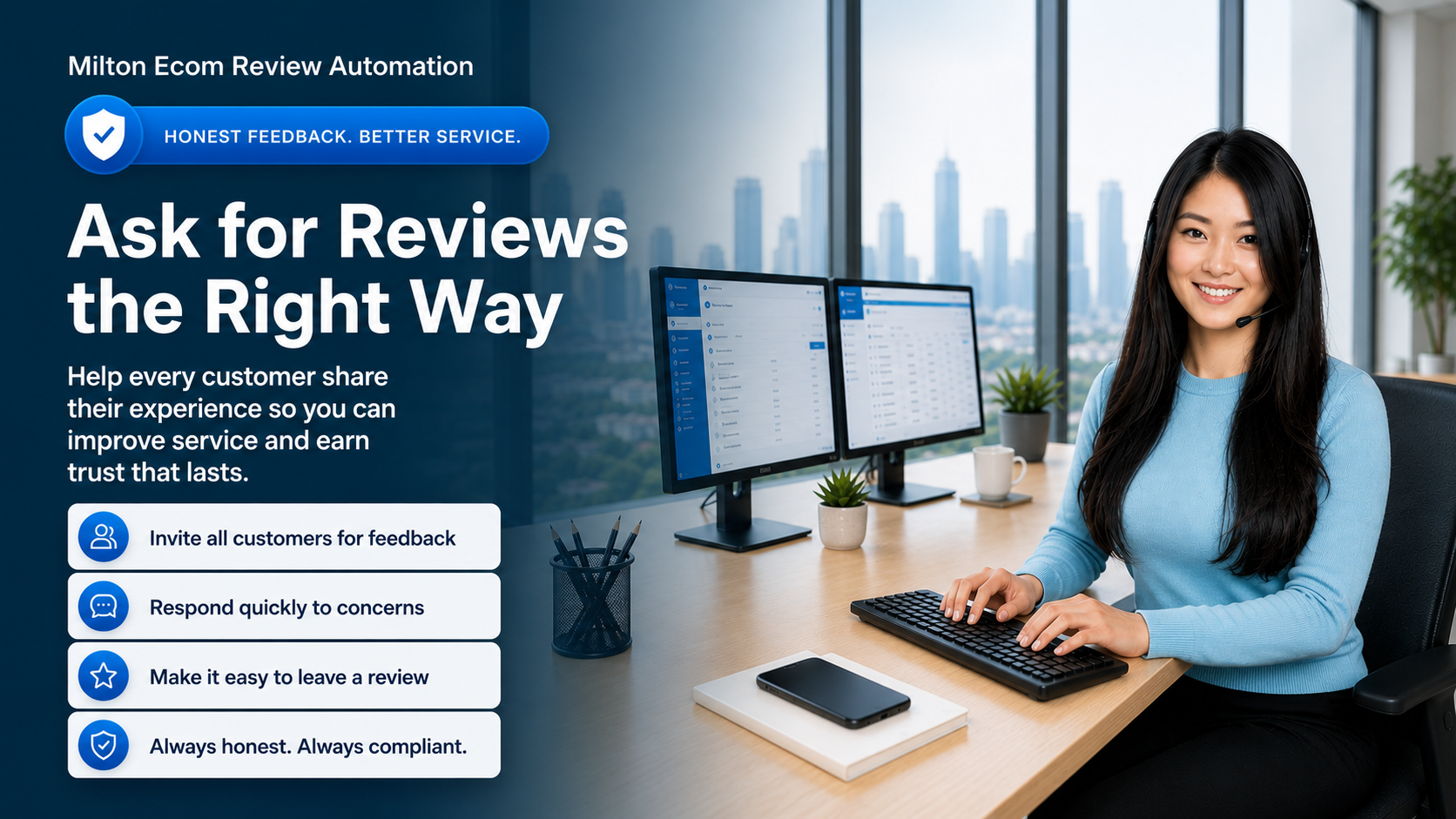
A bad review usually does not start on Google.
It starts earlier.
A late arrival. A rushed cleanup. A confusing invoice. A customer who felt ignored after the job was done.
Most home service companies only find out after the customer posts publicly. That is the problem.
The smarter move is to build a customer recovery system that checks in after every completed job, catches frustration early, alerts the office, and makes it easy for customers to share honest feedback.
For home services businesses, reviews do more than make the owner feel good. They create trust before a prospect ever picks up the phone. They reduce hesitation. They help the next customer feel safer inviting your company into their home.
But reputation is not just about asking for more reviews. It is about building a follow-up process that helps every customer feel heard after the work is done.
Why Customer Recovery Comes Before Review Growth
The Real Offer: A Reputation and Follow-Up System for Home Services
This is best understood as a reputation-protection and follow-up system for home services businesses, not as a simple review tool.
For a home services owner, the value is not just getting more review links out the door. The value is protecting trust after every completed job, spotting unhappy customers early, and giving the office a cleaner process for following up without adding more manual work.
The business gets:
- automated review-request follow-up
- customer satisfaction checks after completed jobs
- SMS and email templates
- alerts for the owner or office team when a customer is unhappy
- follow-up and service-recovery workflow
- reporting on responses, review clicks, and resolved issues
That matters because the value is broader than "sending review links." The real benefit is peace of mind, stronger trust in the local market, and a better chance to turn good service into visible proof.
Home service owners do not usually wake up thinking, "I need review automation."
They think:
"Why did that customer leave a bad review without calling us first?"
That is why the best review systems start with customer recovery.
After a completed job, a business should be able to:
- ask every customer how the job went
- give every customer a path to share feedback
- make the public review process easy and professional
- alert the owner or office when someone is unhappy
- follow up quickly to recover the relationship
- track responses, review clicks, and recovery outcomes
The goal is not just more stars. The goal is fewer surprises, better service recovery, stronger trust, and a more consistent customer experience.
What Happens Without a Review Follow-Up System
Without a clear process, review requests become random.
One technician asks. Another forgets. The office sends links when they remember. Unhappy customers get missed. Happy customers move on with their day.
The owner only notices when the public review profile starts slipping.
That is not a reputation strategy. That is reputation luck.
For a plumber, this could mean missing a customer who was unhappy about cleanup.
For an HVAC company, it could mean never finding out that the customer did not understand the thermostat setup.
For a cleaner, it could mean missing one room and hearing about it later in a neighborhood Facebook group.
For a landscaper, it could mean losing a seasonal customer because a scheduling issue was never followed up on.
The problem is not always the original mistake. The problem is that no system caught it soon enough.
What This Looks Like for a Home Services Business
This kind of workflow can be automated with simple response options, follow-up messages, and owner or office notifications.
Here is the basic workflow:
Step 1: Trigger the follow-up
The workflow starts after a completed job, paid invoice, completed appointment, or a simple manual step that marks the customer ready for follow-up.
Step 2: Ask how the experience went
Send an SMS or email asking:
"How was your experience with us today?"
Then give the customer a simple response path, such as a 1-to-5 rating or quick feedback buttons.
In a CRM or automation platform, this can be handled with trigger links, separate action buttons, or a short feedback form.
Step 3: Give every customer a clear path
Every customer should be able to share honest feedback. Every customer should also have access to the public review process.
The internal workflow can still help the business respond intelligently:
- record the customer's response
- send the appropriate follow-up message
- make the public review link easy to access
- alert the owner or office when the customer reports a problem
- create a service recovery task when follow-up is needed
This is the key difference between a generic review request and a real reputation system. One sends a link. The other creates protection, responsiveness, and a better customer experience.
Step 4: Follow up quickly when something went wrong
When a customer reports a poor or mixed experience, the system should alert the right person quickly.
That may mean:
- notifying the owner
- creating a task for the office manager
- sending a reply that acknowledges the concern
- asking for details so the team can understand what happened
- tracking whether the issue was resolved
Fast follow-up does not guarantee the customer will change how they feel, but it gives the business a chance to respond before the relationship is lost.
Why This Is Valuable for Home Services Businesses
For plumbers, HVAC companies, electricians, cleaners, landscapers, contractors, and other home services businesses, reviews directly affect trust and lead flow.
Customers often compare businesses quickly. A stronger review profile can mean more calls, more form submissions, and better close rates.
But reputation is not just about collecting stars. It is also about catching service issues before they turn into public frustration, bad word of mouth, or a lost future customer.
That is why this kind of workflow is useful:
- customers get a consistent path to share feedback and access review options
- unhappy customers get personal attention instead of being ignored
- review requests become consistent instead of random
- the office team gets a clear follow-up process
- the business owner does not have to carry the stress of managing every request manually
Example SMS Flow
Customer check-in
Hi {{Name}}, thanks again for choosing {{Business}}. How was your experience with us today? Tap a number below or reply with any feedback.
1 | 2 | 3 | 4 | 5
If the customer responds with 4 or 5
Thank you, {{Name}}. We are glad you had a great experience and appreciate the feedback.
If the customer responds with 1 to 3
Thank you for letting us know, {{Name}}. We are sorry we missed the mark. A team member will review this right away. If you would like to share details now, just reply to this message.
Separate review request
Hi {{Name}}, thank you again for choosing {{Business}}. If you would like to leave an honest public review about your experience, you can do that here: {{ReviewLink}}
What to Track
If a business is going to keep investing in this kind of workflow, the owner should be able to see clear metrics.
Track:
- how many follow-up requests were sent
- how many customers responded
- how many clicked the review link
- how many customers reported a poor or mixed experience
- how many recovery tasks were created
- how many negative situations were resolved
- which technicians, services, or job types need extra attention
That makes the system easier to justify month after month, not just as a one-time setup. It also helps the owner see whether the workflow is actively protecting revenue and reputation.
A Practical Note About Review Policies
Review platforms want honest feedback from real customers. This type of workflow should not be used to block, hide, discourage, delay, or filter negative reviews.
The safer and better long-term approach is to ask every customer for feedback, respond quickly when something went wrong, and keep public review access available on a consistent basis rather than routing only positive responses toward public platforms.
The goal is not to manipulate reviews. The goal is to improve service recovery, create a better follow-up process, and make it easier for customers to share honest experiences.
Why This Belongs in your Business
If you are reading this, you are probably not just looking for review advice. You are likely looking for a practical way to protect your reputation, improve follow-up, and make it easier for customers to speak up.
You may already be thinking about:
- getting more Google reviews
- protecting the brand
- reducing manual follow-up
- improving local SEO and trust
- giving your office team a better follow-up process
That is why it makes sense to move from the idea to the actual solution. If you want this kind of workflow set up properly for your business, the next step is to look at the service options and see what fits your operation.
Related service:
- Services: See how Milton Ecom helps local businesses improve follow-up, customer care, automation, and lead response.
- Reputation Management: Explore how we help businesses strengthen trust, respond to reviews, and protect their online reputation.
CTA
Want this built into your CRM?
Milton Ecom helps home service businesses set up review follow-up, customer recovery alerts, SMS/email workflows, and reporting so completed jobs turn into stronger trust instead of missed opportunities.
Call Us | Text Us | Tel: 1 (866) 259 3033
See our services: Services
Explore our reputation management service: Reputation Management
Glossary
- CRM: A customer relationship management system that helps a business track leads, conversations, follow-up, and customer history in one place.
- Review automation: A workflow that automatically sends review or feedback requests after a job, appointment, or purchase.
- Service recovery: The follow-up process a business uses to address a poor customer experience before the relationship is lost.
- Reputation management: The systems and follow-up processes used to improve reviews, protect trust, and respond to customer feedback.
- Lead follow-up: The messages, reminders, and tasks that help a business respond to prospects and customers consistently.